> ## Documentation Index
> Fetch the complete documentation index at: https://futureagi.mintlify.site/llms.txt
> Use this file to discover all available pages before exploring further.
# Meeting Summarization
* Taking notes during a meeting can sometimes become challenging, as you have to prioritize between active listening and documenting.
* There are plenty of summarization tools available in the market, but evaluating them quantitatively is the challenge.
* This cookbook will guide you through evaluating meeting summarizations created from transcripts using Future AGI.
* Dataset used here is the transcripts of 1,366 meetings from the city councils of 6 major U.S. cities
[Paper](https://arxiv.org/pdf/2305.17529) | [Hugging Face](https://huggingface.co/datasets/lytang/MeetingBank-transcript)
## 1. Loading Dataset
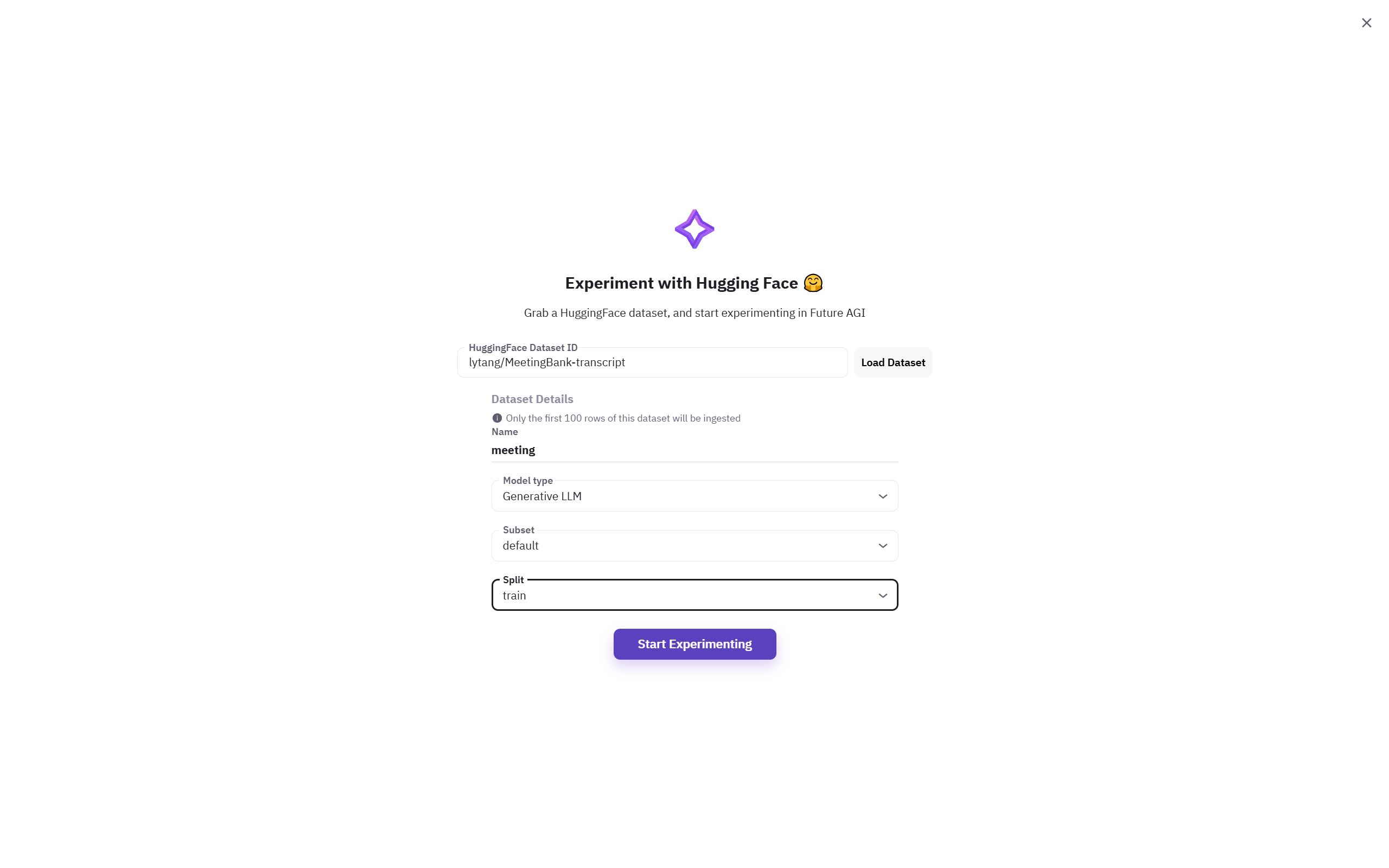
Loading a dataset in the Future AGI platform is easy. You can either directly upload it as JSON or CSV, or you could import it from Hugging Face. Follow detailed steps on how to add a dataset to Future AGI in the [docs](https://docs.futureagi.com/future-agi/products/dataset/overview).
 ## 2. Creating Summary
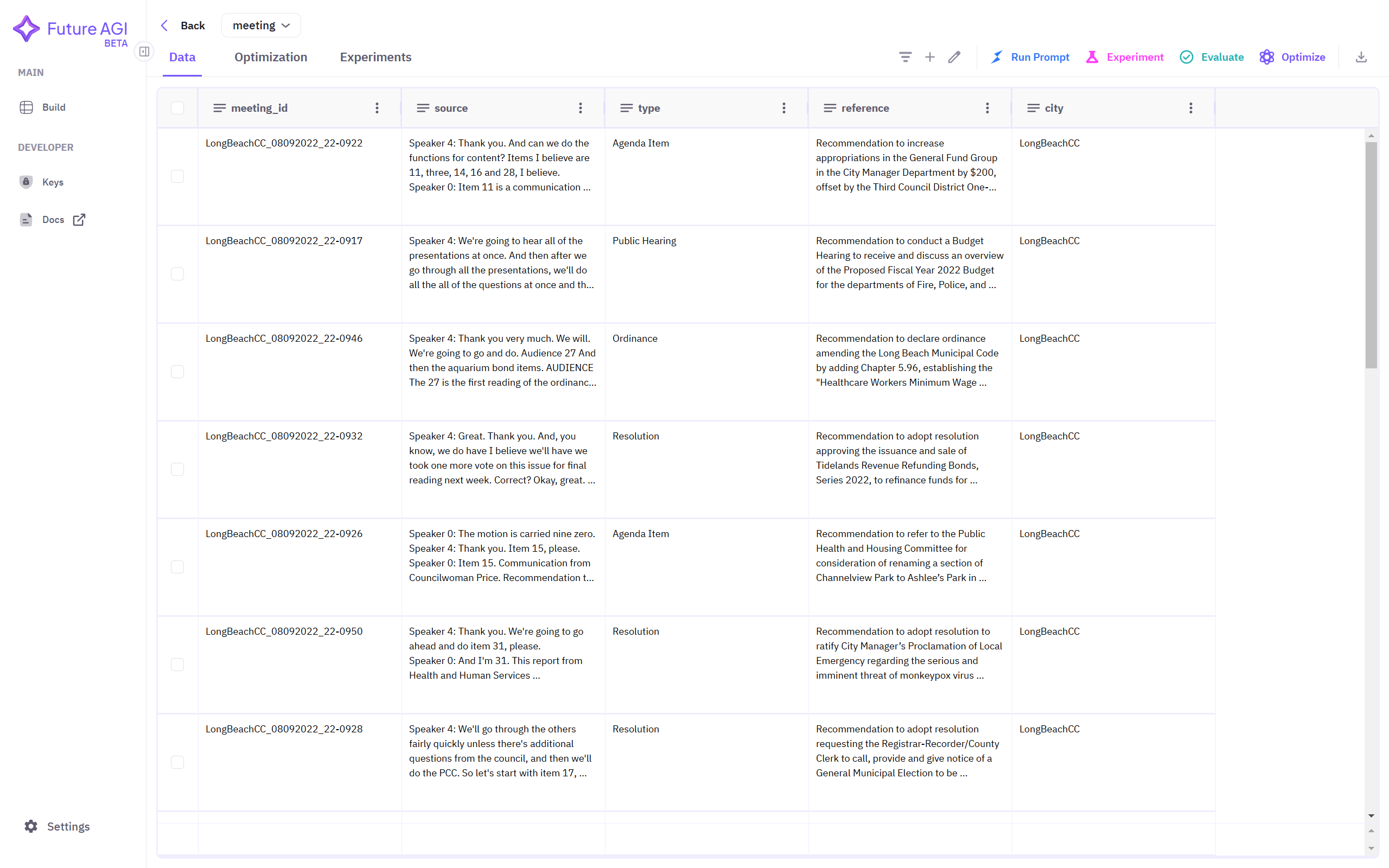
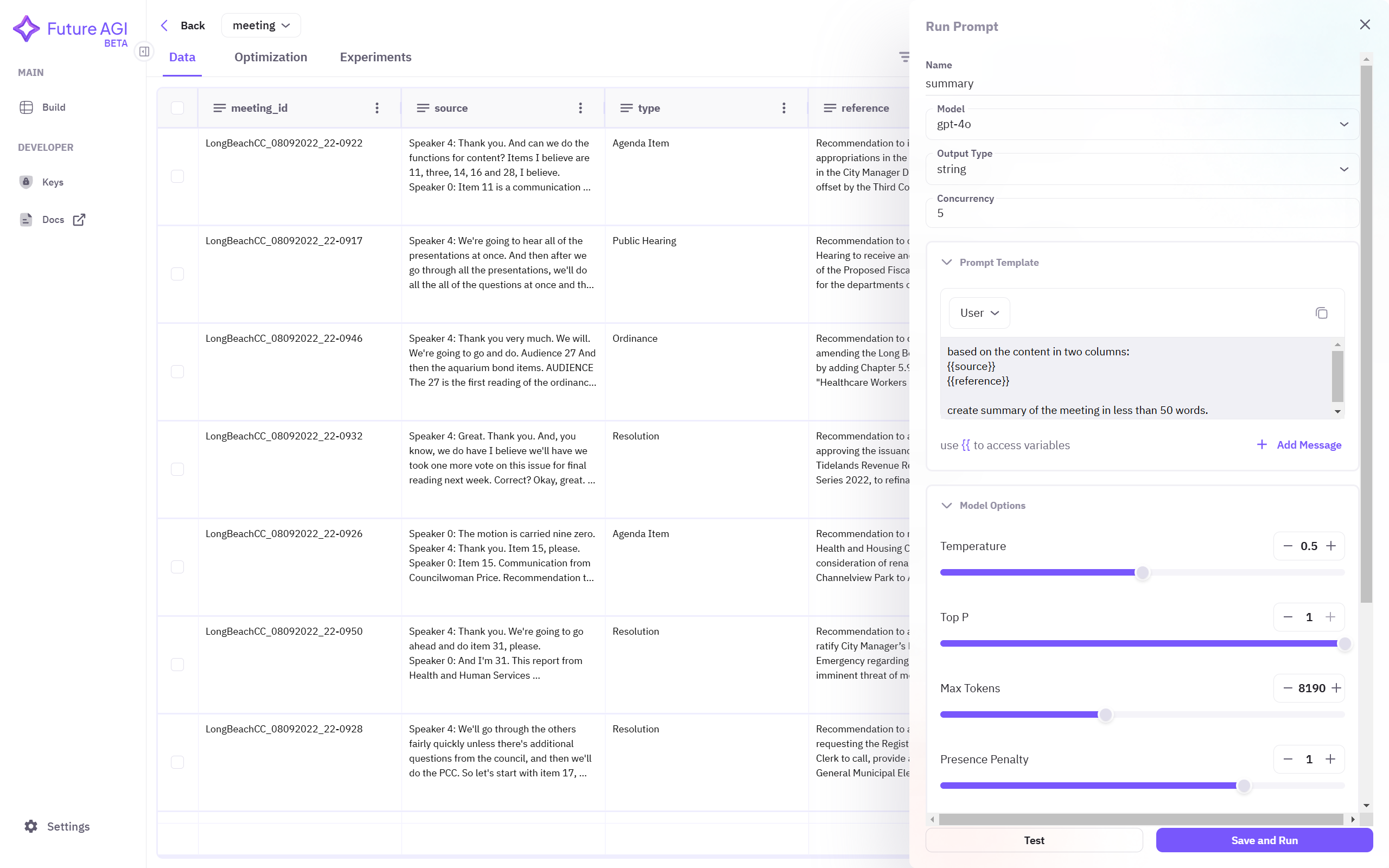
After successfully loading the dataset, you can see your dataset in the dashboard. Now, click on Run Prompt from top right corner and create prompt to generate summary.
## 2. Creating Summary
After successfully loading the dataset, you can see your dataset in the dashboard. Now, click on Run Prompt from top right corner and create prompt to generate summary.
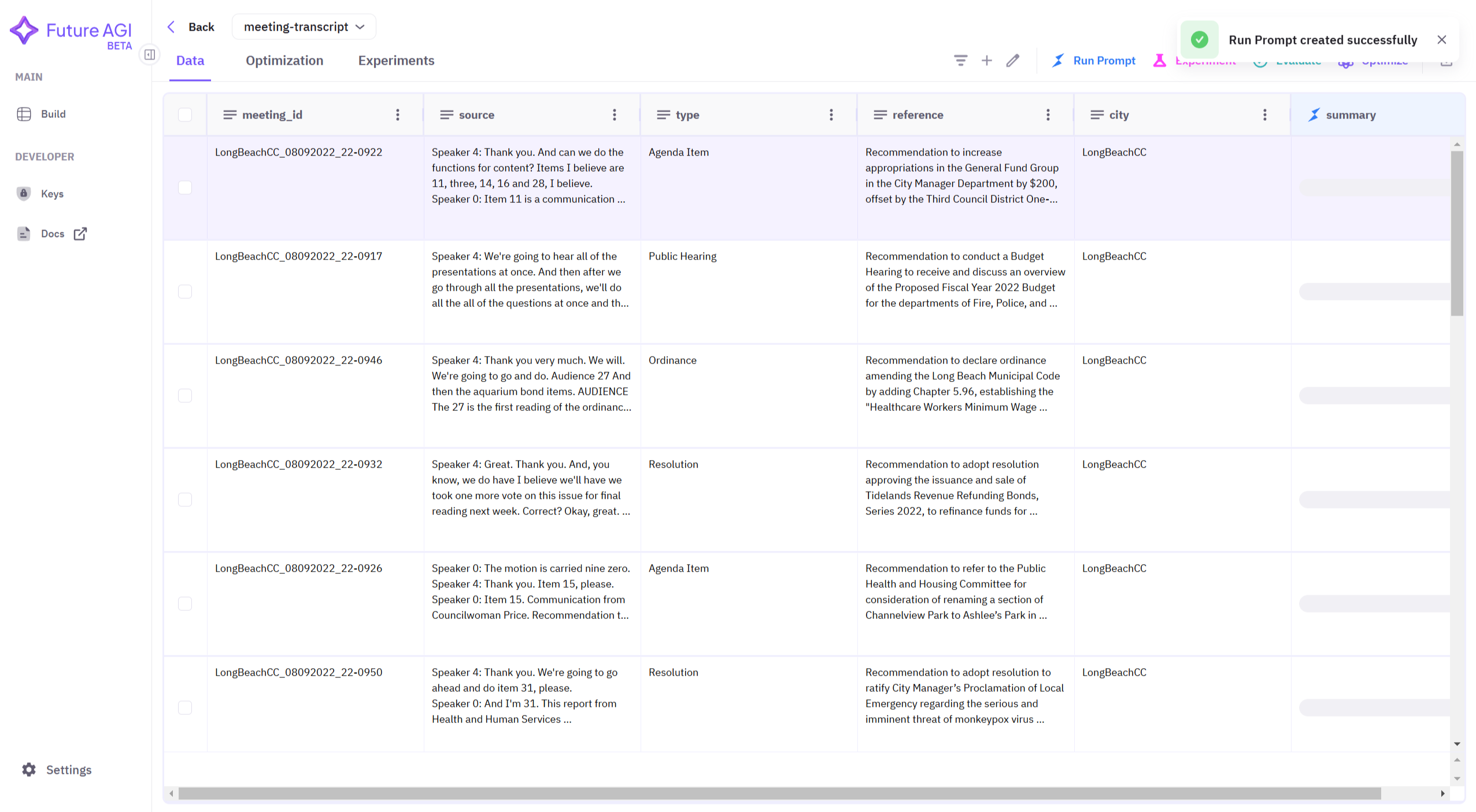
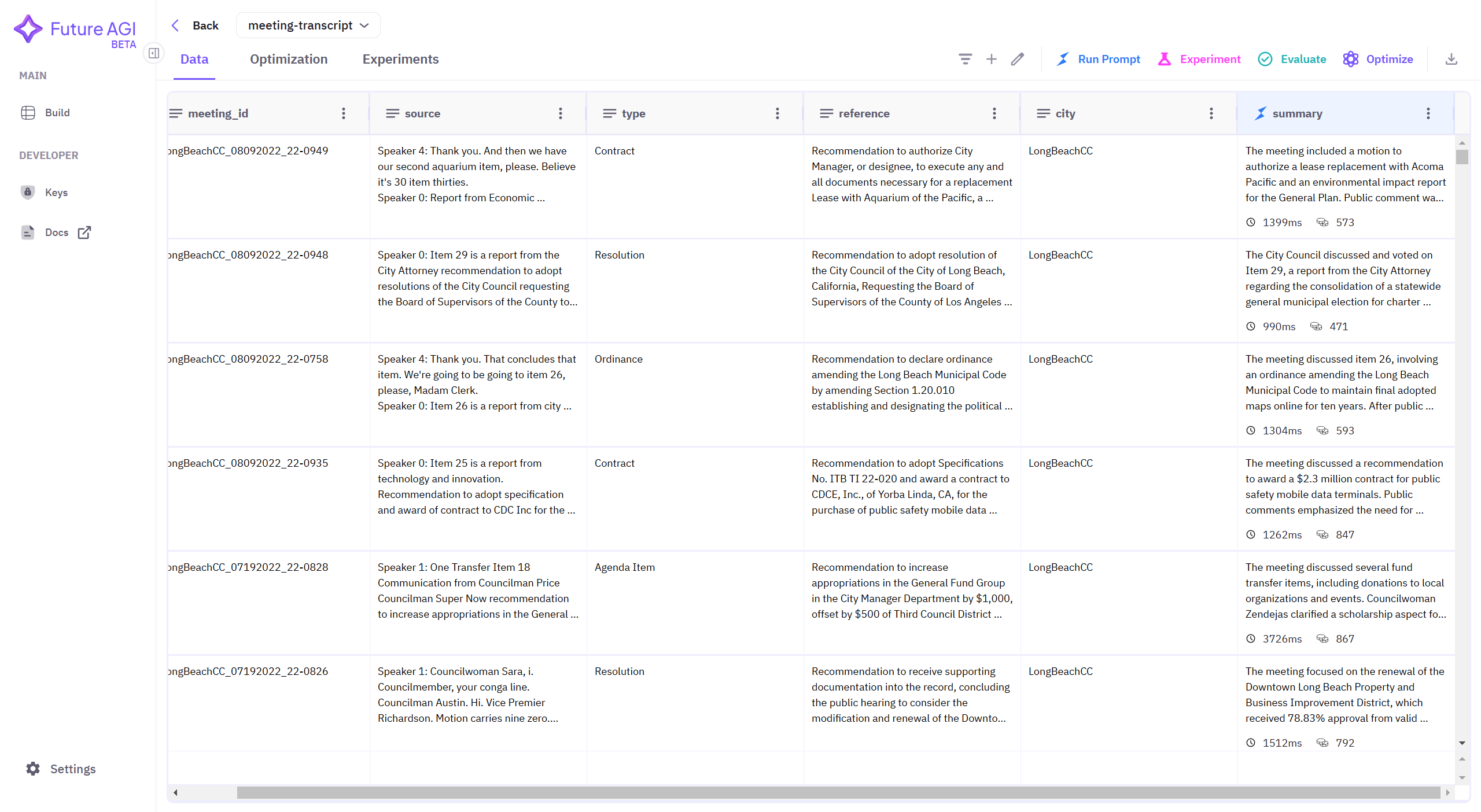 After creating summary of each row, download the dataset using download button from top-right corner.
## 3. Installing
```bash theme={null}
pip install ai-evaluation
```
## 4. Initialising Client
```python theme={null}
from fi.evals import Evaluator
evaluator = Evaluator(
fi_api_key="your_api_key",
fi_secret_key="your_secret_key"
)
```
## 5. Import Dataset
```python theme={null}
import pandas as pd
dataset = pd.read_csv("meeting-summary.csv", encoding='utf-8', on_bad_lines='skip')
```
## 6. Evaluation
### a. Using Future AGI's Summary Quality Metric
Summary Quality: Evaluates if a summary effectively captures the main points, maintains factual accuracy, and achieves appropriate length while preserving the original meaning. Checks for both inclusion of key information and exclusion of unnecessary details.
```python theme={null}
def evaluate_summary_quality(dataset, summary_column_name):
scores = []
for _, row in dataset.iterrows():
result = evaluator.evaluate(
eval_templates="summary_quality",
inputs={
"output": row[summary_column_name],
"context": row["reference"],
"input": row["source"]
},
model_name="turing_flash"
)
score = result.eval_results[0].metrics[0].value
scores.append(score)
average_score = sum(scores) / len(scores) if scores else 0
combined_results.append({
"Summary Column": summary_column_name,
"Avg. Summary Quality": average_score
})
```
### b. Using BERT Score
Compares generated response and a reference text using contextual embeddings from pre-trained language models like bert-base-uncased.
It calculates precision, recall, and F1 score at the token level, based on cosine similarity between embeddings of each token in the generated response and the reference text.
```python theme={null}
!pip install bert_score
```
```python theme={null}
from bert_score import score
def evaluate_bertscore(dataset, summary_column_name):
temp_results = []
for _, row in dataset.iterrows():
source = row["source"]
summary = row[summary_column_name]
P, R, F1 = score([summary], [source], model_type="bert-base-uncased", lang="en", verbose=False)
temp_results.append({
"bert_precision": P.mean().item(),
"bert_recall": R.mean().item(),
"bert_f1": F1.mean().item()
})
results_df = pd.DataFrame(temp_results)
average_p = results_df["bert_precision"].mean()
average_r = results_df["bert_recall"].mean()
average_f1 = results_df["bert_f1"].mean()
combined_results[-1].update({
"Avg. Precision": average_p,
"Avg. Recall": average_r,
"Avg. F1": average_f1
})
```
## Result
```python theme={null}
combined_results = []
summary_columns = ["summary-gpt-4o", "summary-gpt-4o-mini", "summary-claude3.5-sonnet"]
for column in summary_columns:
print(f"Evaluating Summary Quality for {column}...")
evaluate_summary_quality(dataset, column)
print(f"Evaluating BERTScore for {column}...")
evaluate_bertscore(dataset, column)
print()
```
**Output:**
```plaintext theme={null}
Evaluating Summary Quality for summary-gpt-4o...
Evaluating BERTScore for summary-gpt-4o...
Evaluating Summary Quality for summary-gpt-4o-mini...
Evaluating BERTScore for summary-gpt-4o-mini...
Evaluating Summary Quality for summary-claude3.5-sonnet...
Evaluating BERTScore for summary-claude3.5-sonnet...
```
```python theme={null}
from tabulate import tabulate
combined_results_df = pd.DataFrame(combined_results)
for col in ["Avg. Summary Quality", "Avg. Precision", "Avg. Recall", "Avg. F1"]:
if col in combined_results_df.columns:
combined_results_df[col] = combined_results_df[col].apply(lambda x: f"{x:.2f}")
else:
print(f"Warning: Column {col} not found in the dataframe")
print(tabulate(
combined_results_df,
headers='keys',
tablefmt='fancy_grid',
showindex=False,
colalign=("left", "center", "center", "center", "center")
))
```
**Output:**
After creating summary of each row, download the dataset using download button from top-right corner.
## 3. Installing
```bash theme={null}
pip install ai-evaluation
```
## 4. Initialising Client
```python theme={null}
from fi.evals import Evaluator
evaluator = Evaluator(
fi_api_key="your_api_key",
fi_secret_key="your_secret_key"
)
```
## 5. Import Dataset
```python theme={null}
import pandas as pd
dataset = pd.read_csv("meeting-summary.csv", encoding='utf-8', on_bad_lines='skip')
```
## 6. Evaluation
### a. Using Future AGI's Summary Quality Metric
Summary Quality: Evaluates if a summary effectively captures the main points, maintains factual accuracy, and achieves appropriate length while preserving the original meaning. Checks for both inclusion of key information and exclusion of unnecessary details.
```python theme={null}
def evaluate_summary_quality(dataset, summary_column_name):
scores = []
for _, row in dataset.iterrows():
result = evaluator.evaluate(
eval_templates="summary_quality",
inputs={
"output": row[summary_column_name],
"context": row["reference"],
"input": row["source"]
},
model_name="turing_flash"
)
score = result.eval_results[0].metrics[0].value
scores.append(score)
average_score = sum(scores) / len(scores) if scores else 0
combined_results.append({
"Summary Column": summary_column_name,
"Avg. Summary Quality": average_score
})
```
### b. Using BERT Score
Compares generated response and a reference text using contextual embeddings from pre-trained language models like bert-base-uncased.
It calculates precision, recall, and F1 score at the token level, based on cosine similarity between embeddings of each token in the generated response and the reference text.
```python theme={null}
!pip install bert_score
```
```python theme={null}
from bert_score import score
def evaluate_bertscore(dataset, summary_column_name):
temp_results = []
for _, row in dataset.iterrows():
source = row["source"]
summary = row[summary_column_name]
P, R, F1 = score([summary], [source], model_type="bert-base-uncased", lang="en", verbose=False)
temp_results.append({
"bert_precision": P.mean().item(),
"bert_recall": R.mean().item(),
"bert_f1": F1.mean().item()
})
results_df = pd.DataFrame(temp_results)
average_p = results_df["bert_precision"].mean()
average_r = results_df["bert_recall"].mean()
average_f1 = results_df["bert_f1"].mean()
combined_results[-1].update({
"Avg. Precision": average_p,
"Avg. Recall": average_r,
"Avg. F1": average_f1
})
```
## Result
```python theme={null}
combined_results = []
summary_columns = ["summary-gpt-4o", "summary-gpt-4o-mini", "summary-claude3.5-sonnet"]
for column in summary_columns:
print(f"Evaluating Summary Quality for {column}...")
evaluate_summary_quality(dataset, column)
print(f"Evaluating BERTScore for {column}...")
evaluate_bertscore(dataset, column)
print()
```
**Output:**
```plaintext theme={null}
Evaluating Summary Quality for summary-gpt-4o...
Evaluating BERTScore for summary-gpt-4o...
Evaluating Summary Quality for summary-gpt-4o-mini...
Evaluating BERTScore for summary-gpt-4o-mini...
Evaluating Summary Quality for summary-claude3.5-sonnet...
Evaluating BERTScore for summary-claude3.5-sonnet...
```
```python theme={null}
from tabulate import tabulate
combined_results_df = pd.DataFrame(combined_results)
for col in ["Avg. Summary Quality", "Avg. Precision", "Avg. Recall", "Avg. F1"]:
if col in combined_results_df.columns:
combined_results_df[col] = combined_results_df[col].apply(lambda x: f"{x:.2f}")
else:
print(f"Warning: Column {col} not found in the dataframe")
print(tabulate(
combined_results_df,
headers='keys',
tablefmt='fancy_grid',
showindex=False,
colalign=("left", "center", "center", "center", "center")
))
```
**Output:**
| Summary Column |
Avg. Summary Quality |
Avg. Precision |
Avg. Recall |
Avg. F1 |
| summary-gpt-4o |
0.64 |
0.63 |
0.36 |
0.46 |
| summary-gpt-4o-mini |
0.56 |
0.63 |
0.36 |
0.45 |
| summary-claude3.5-sonnet |
0.68 |
0.62 |
0.36 |
0.46 |