> ## Documentation Index
> Fetch the complete documentation index at: https://futureagi.mintlify.site/llms.txt
> Use this file to discover all available pages before exploring further.
# Use Custom Models
> Future AGI allows you to use your own custom models. This is useful if you want to use a model that is tailor made for your use case.
***
## Overview
Future AGI supports two integration modes:
1. **From Model Provider (Recommended):** Direct integration with supported providers (OpenAI, AWS Bedrock, AWS SageMaker, Vertex AI, Azure), optimized for reliability, automatic updates, and simpler credential management.
2. **Configure Custom Model (Advanced):** Full flexibility to connect any model hosted behind an API endpoint, including in-house deployments, fine-tuned models, or proxy endpoints.
Once added, models are available platform-wide for custom evaluations.
Click [here](/future-agi/get-started/evaluation/create-custom-evals) to learn how to create custom evaluations in Future AGI.
***
## Adding Models from Supported Providers
Future AGI currently supports:
1. **OpenAI**
2. **AWS Bedrock**
3. **AWS SageMaker**
4. **Vertex AI**
5. **Azure**
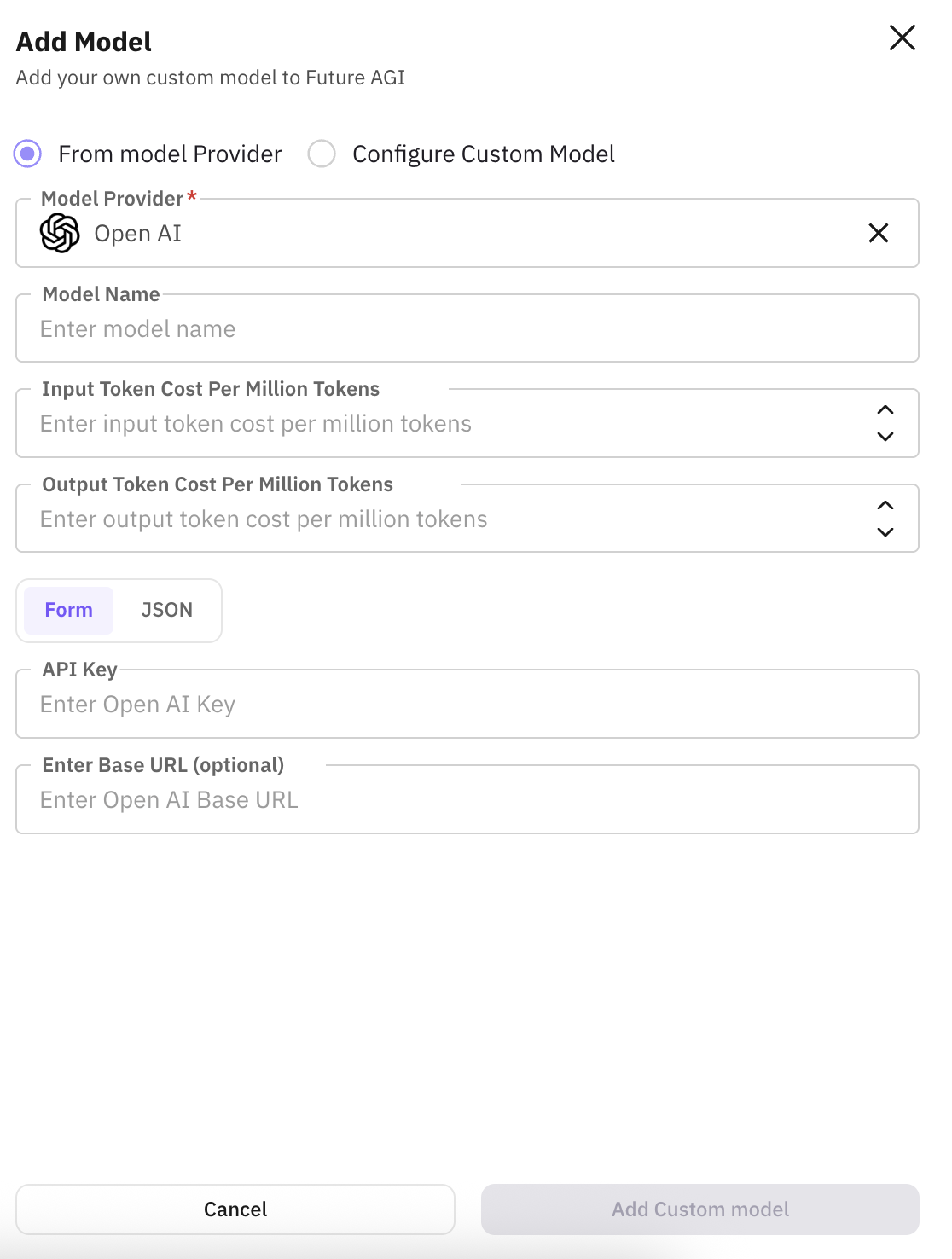
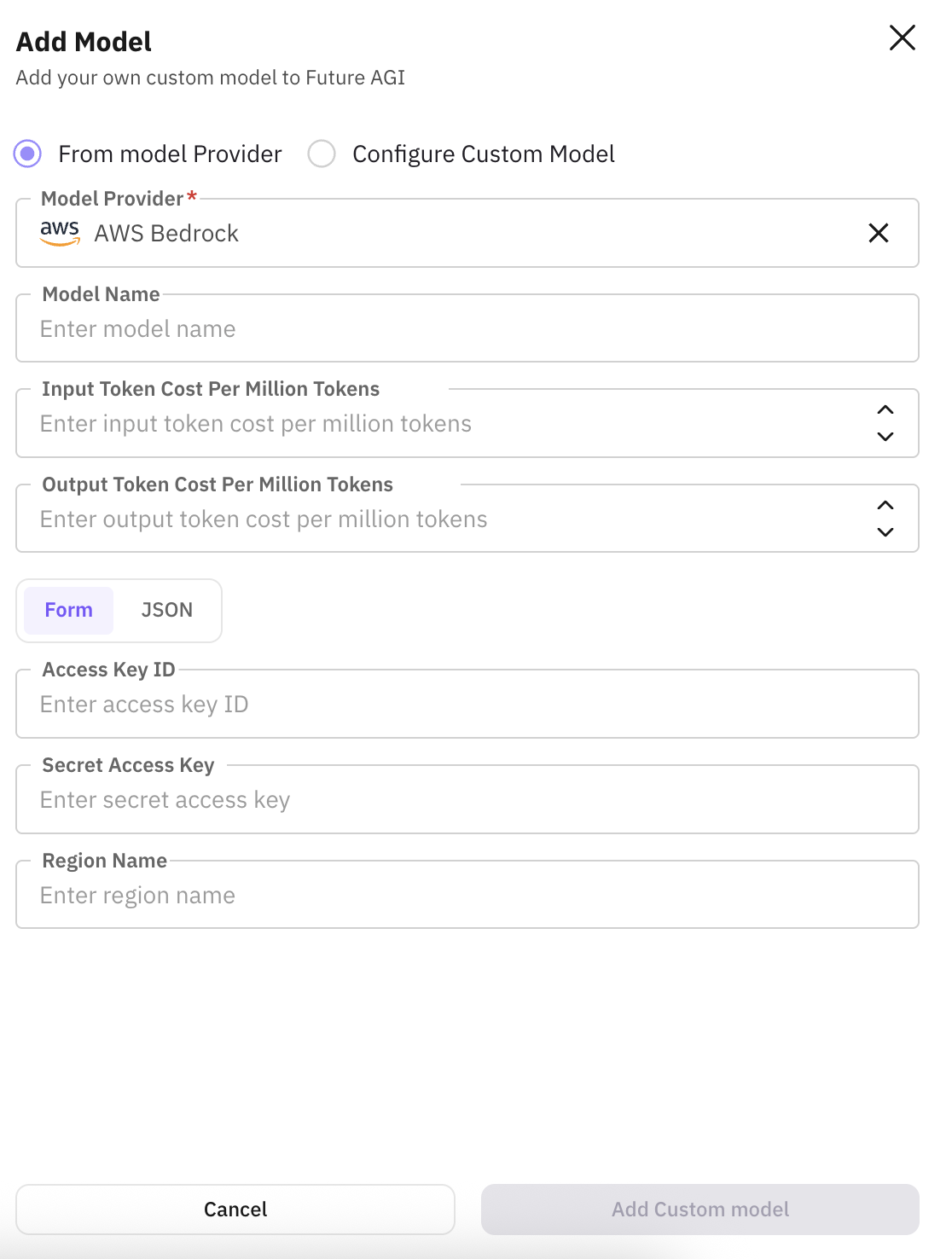
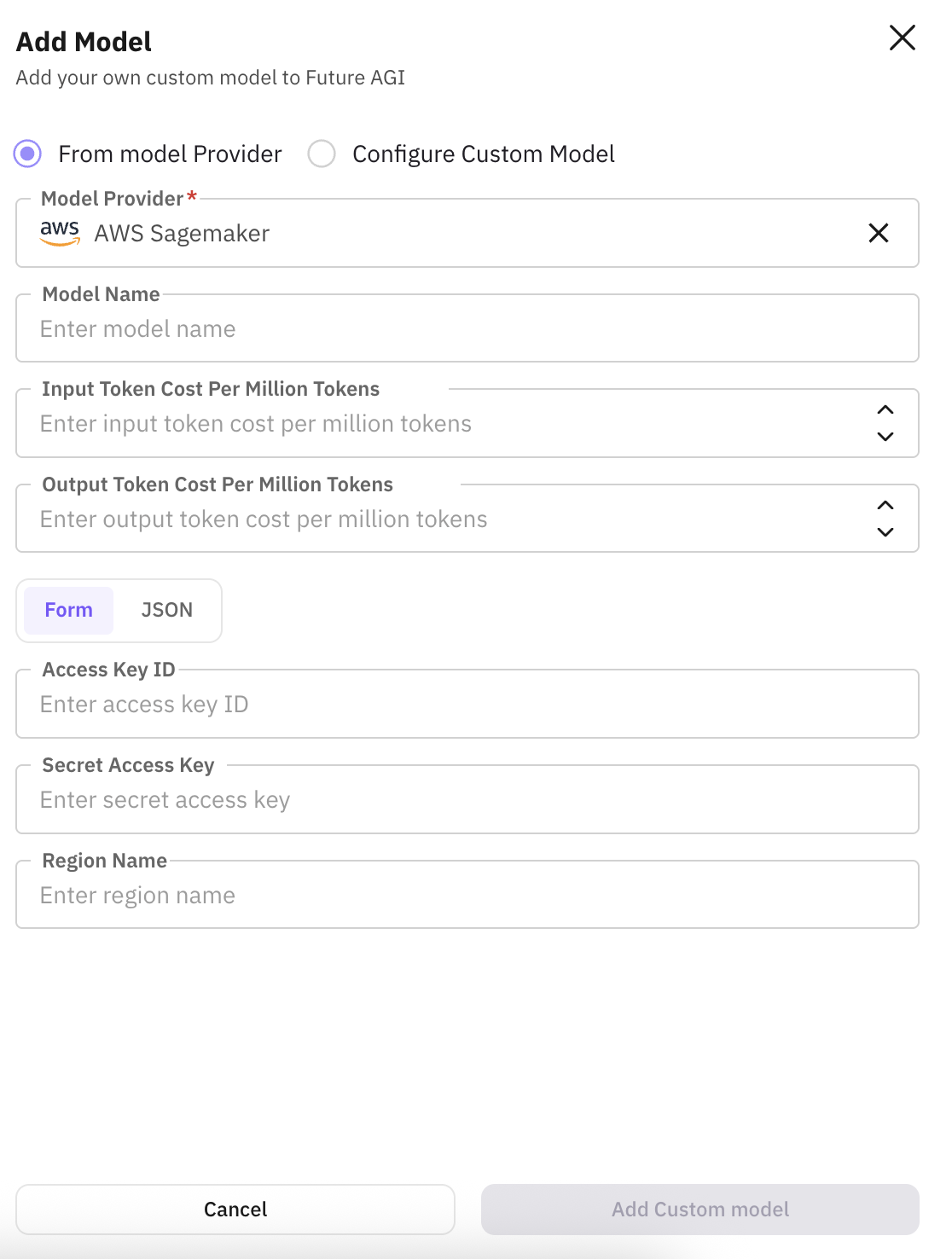
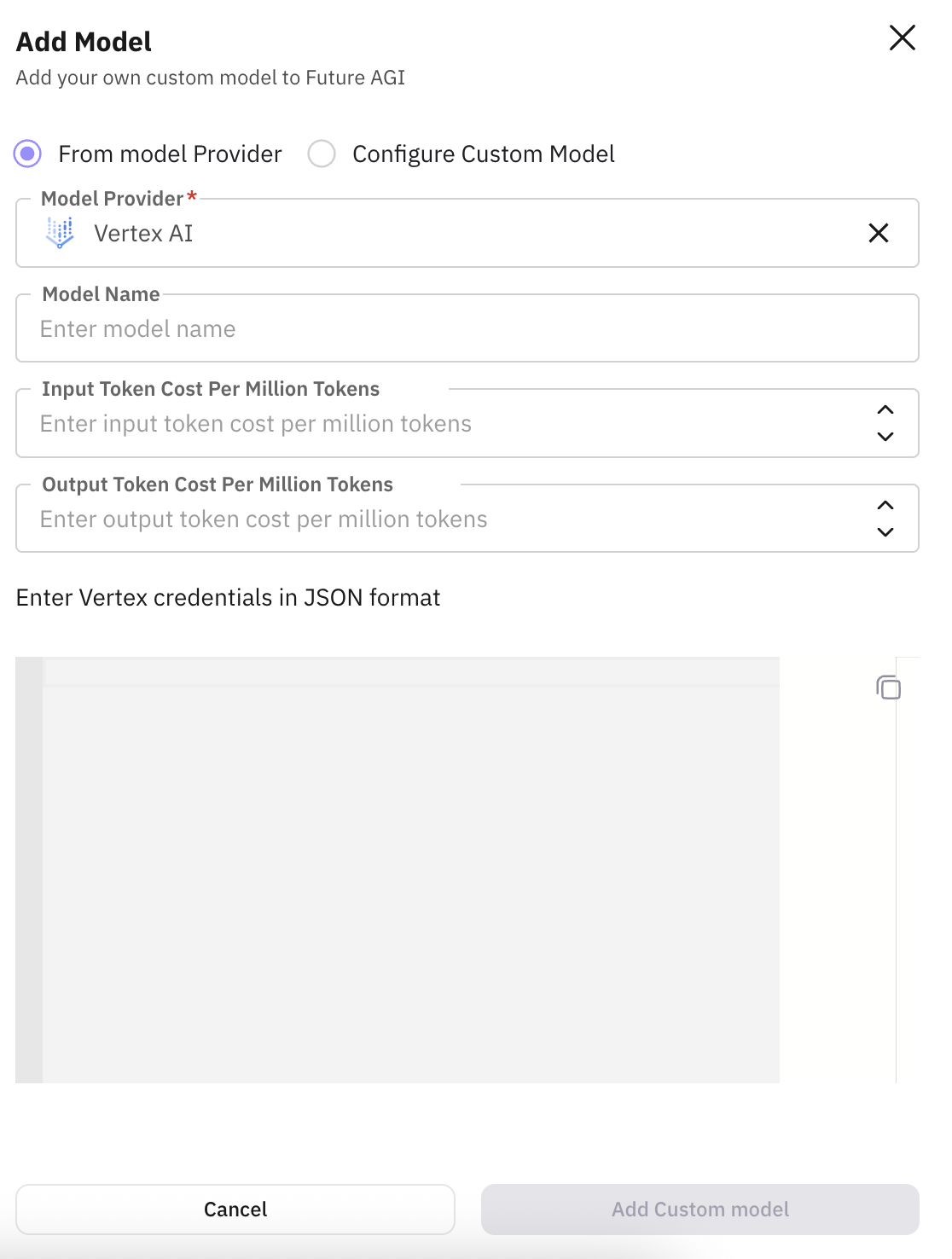
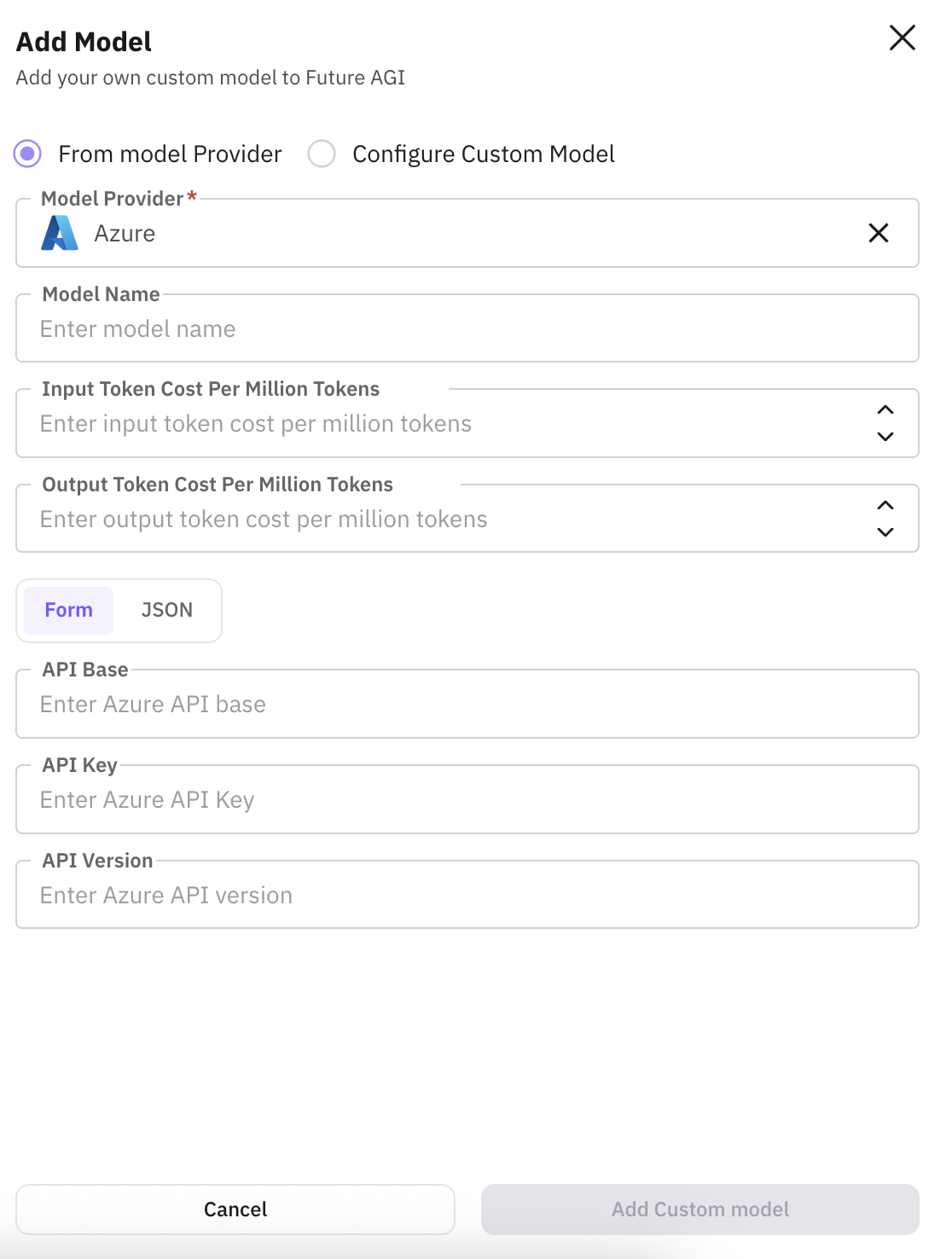
* Each provider has provider-specific authentication and cost configuration fields.
* Set custom name to the model you are adding.
* Provide input and output token costs for the model to compute cost when performing evaluations in Future AGI.
### 1. OpenAI
 ### 2. AWS Bedrock
 ### 3. AWS SageMaker
 ### 4. Vertex AI
 ### 5. Azure
 ***
## Configuring Custom Model (Advanced)
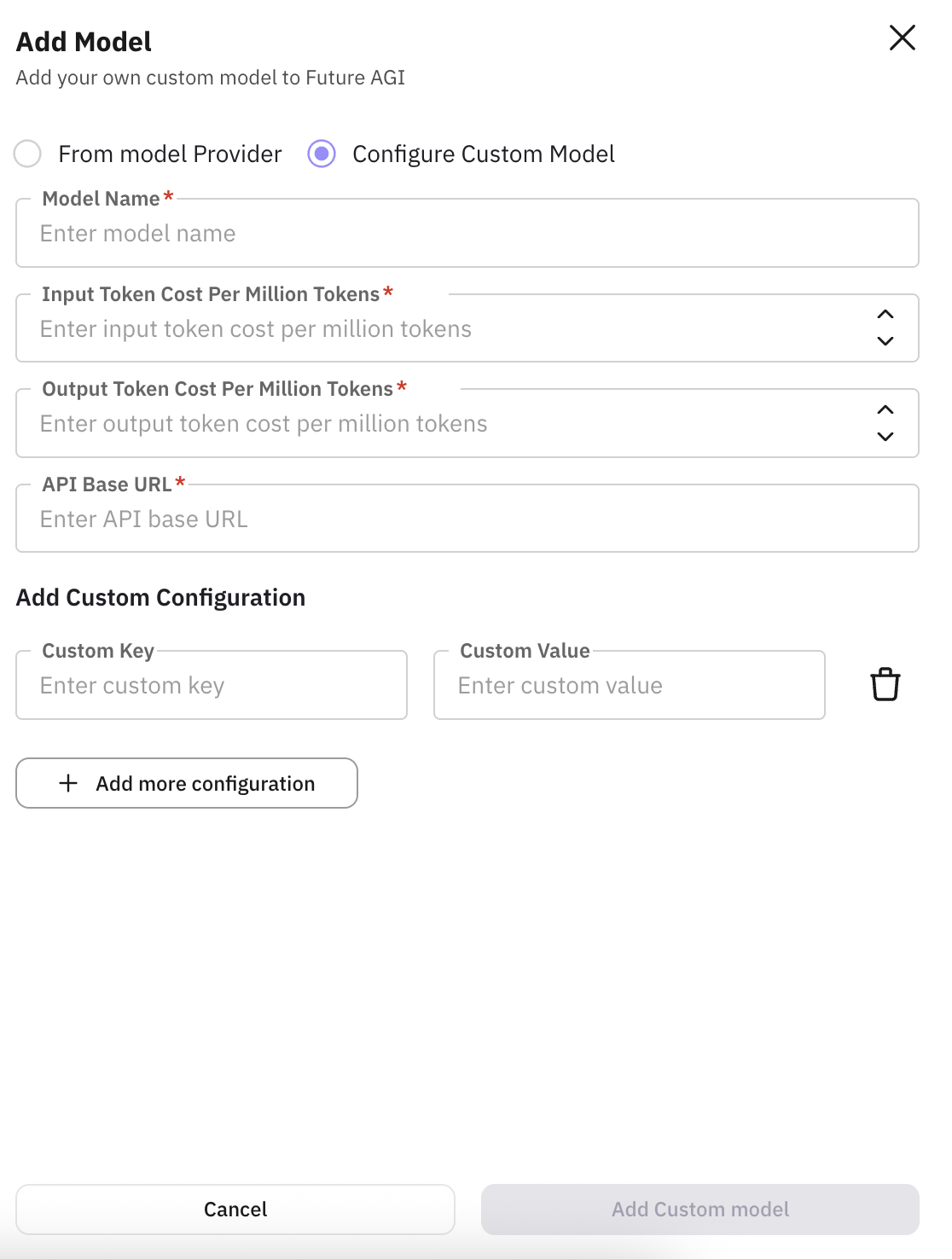
Use this when integrating self-hosted models, fine-tuned endpoints, or third-party APIs.
***
## Configuring Custom Model (Advanced)
Use this when integrating self-hosted models, fine-tuned endpoints, or third-party APIs.
 ***
| **Field** | **About** | **Explanation** | **Example** |
| ----------------------------------------------------------------- | --------------------------------------------------------------------------------------------------------------------------------- | ----------------------------------------------------------------------------------------------------------------------------------------------- | --------------------------------------------------------------------------- |
| **Model Name** | A friendly identifier for your model within Future AGI. This name appears in model selectors, dashboards, and evaluation reports. | Helps differentiate between multiple models, environments, and versions. Ensures better organization when running evaluations or RAG pipelines. | `mistral-rag-prod` |
| **Input Token Cost per Million Tokens** | The cost of input tokens (tokens sent in the request) per 1 million tokens. | Enables accurate billing visibility, cost attribution, and usage analytics within Future AGI dashboards. | `1.50` *(represents \$1.50 per 1M input tokens)* |
| **Output Token Cost per Million Tokens** | The cost of output tokens (tokens generated in the response) per 1 million tokens. | Used to calculate total request costs alongside input tokens. Critical for cost optimization and reporting. | `2.00` *(represents \$2.00 per 1M output tokens)* |
| **API Base URL** | The endpoint where Future AGI sends API requests to communicate with your custom model. | Required for model integration — Future AGI uses this endpoint for evaluations, RAG queries, prompt generation, and agent calls. | `https://api.my-model-server.com/v1` |
| **Add Custom Configuration**
***
| **Field** | **About** | **Explanation** | **Example** |
| ----------------------------------------------------------------- | --------------------------------------------------------------------------------------------------------------------------------- | ----------------------------------------------------------------------------------------------------------------------------------------------- | --------------------------------------------------------------------------- |
| **Model Name** | A friendly identifier for your model within Future AGI. This name appears in model selectors, dashboards, and evaluation reports. | Helps differentiate between multiple models, environments, and versions. Ensures better organization when running evaluations or RAG pipelines. | `mistral-rag-prod` |
| **Input Token Cost per Million Tokens** | The cost of input tokens (tokens sent in the request) per 1 million tokens. | Enables accurate billing visibility, cost attribution, and usage analytics within Future AGI dashboards. | `1.50` *(represents \$1.50 per 1M input tokens)* |
| **Output Token Cost per Million Tokens** | The cost of output tokens (tokens generated in the response) per 1 million tokens. | Used to calculate total request costs alongside input tokens. Critical for cost optimization and reporting. | `2.00` *(represents \$2.00 per 1M output tokens)* |
| **API Base URL** | The endpoint where Future AGI sends API requests to communicate with your custom model. | Required for model integration — Future AGI uses this endpoint for evaluations, RAG queries, prompt generation, and agent calls. | `https://api.my-model-server.com/v1` |
| **Add Custom Configuration**
*(Custom Key & Custom Value)* | Lets you define custom headers, query parameters, or metadata required by your API. | Needed for scenarios like authentication, multi-tenant routing, model versioning, or passing provider-specific parameters. | **Custom Key:** `Authorization`
**Custom Value:** `Bearer sk-123456` |
***