> ## Documentation Index
> Fetch the complete documentation index at: https://futureagi.mintlify.site/llms.txt
> Use this file to discover all available pages before exploring further.
# Evaluate Tool Calling
> Evaluate the tool calling capabilities of your agent
***
A tool is any capability that lets the agent reach beyond simple conversation. It lets agent perform actions such as transferring calls, ending calls, send text, etc.
You can evaluate this tool calling capabilities of your agent by enabling the "Tool Call Evaluation" while creating a [run test](/product/simulation/run-tests) in the [Select Evaluations](/product/simulation/run-tests#step-3:-select-evaluations) step.
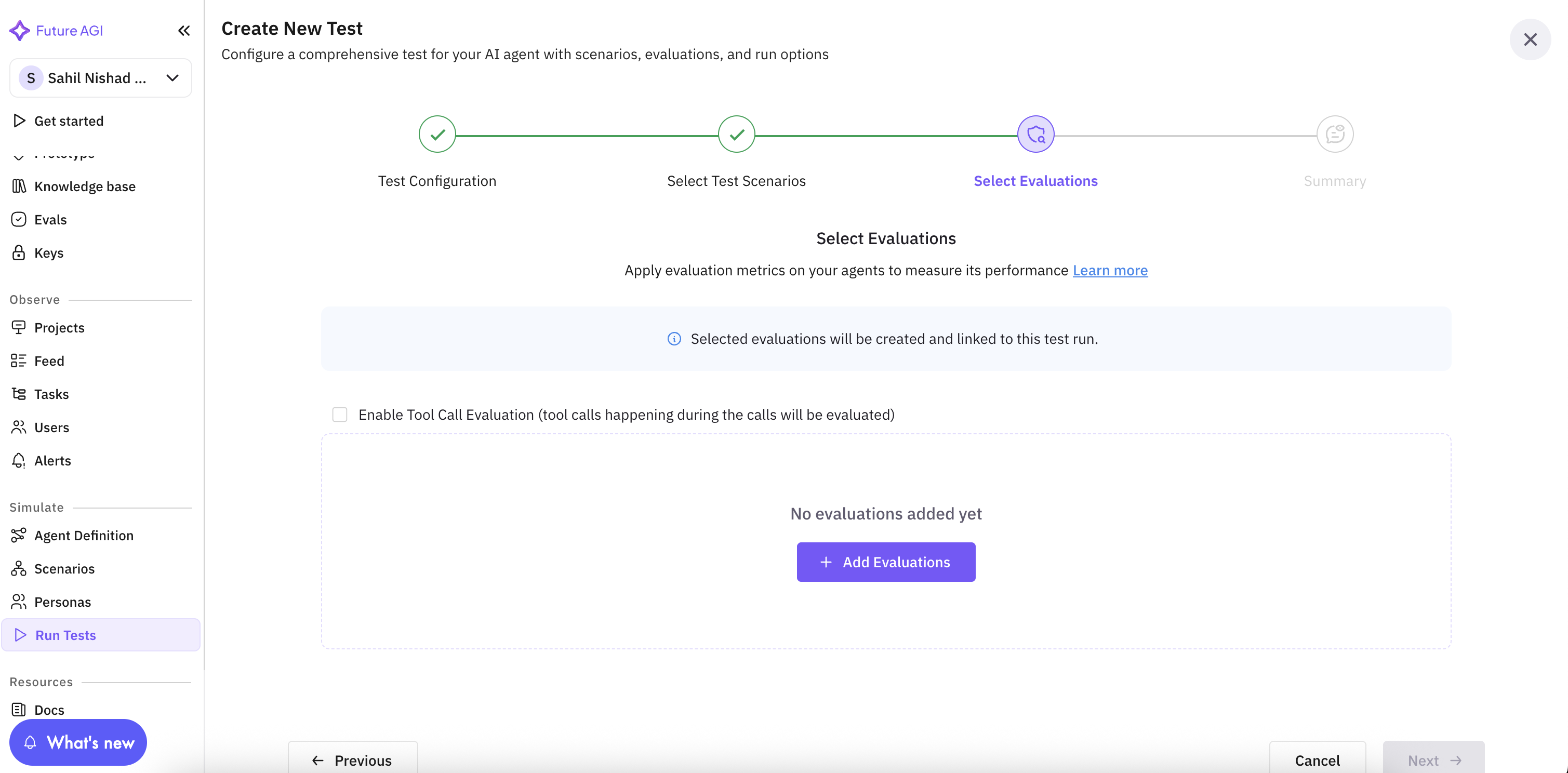
 When you try to enable this, it will prompt you to provide the API Key and Assistant ID for the agent you want to evaluate.
***
Your agent must be deployed with tool calling capabilities enabled to be evaluated with the tool call evaluation.
When you try to enable this, it will prompt you to provide the API Key and Assistant ID for the agent you want to evaluate.
***
Your agent must be deployed with tool calling capabilities enabled to be evaluated with the tool call evaluation.